How do I assemble NHD-2.4-240320CF-CSXN#-F-ND in order to use

I just purchased the NHD-2.4-240320CF-CSXN#-F-ND for a personal project and I do not understand how to get this screen working. I ultimately want to build a projector with it.
I have looked over the spec sheet and it seems easy enough to use my bench power supply and push ~3V to the #7 Vdd pin and return it to #1 ground pin and should be good right? I'm really assuming its not that simple.
I am looking for say a general schematic with BOM and or associated components required to fire this thing up.
It seems like I am going to need a driver(?) . I have duck duck go'd it and seems like arduino has a driver board for this situation which is not really where I want to go with this. I am sure I will neet a 40pin flat connector board with vias ~$10 on digikey,,, hmm, yea, soo.
I am guessing my dilema is analogous to having a new car engine on my desk and wondering what else do I need to make my car work? - Alot
Thanks for any help
-
Ok, Im going to go with firing this thing up with an arduino UNO board but, it seems that I will need a 40 pin Ffc connector on PFB.
So I took an almost blind leap,,, mostly blind and I think it in fact turned out to be a wrong choice.
I purchased the:
NHD-TFT40-ND Break out board at https://www.digikey.com/products/en?keywords=NHD-TFT40-ND in order to move this process along and after pressing the buy button I THEN read it's spec sheet and it showed it supported larger TFT's than my bitty 2.4,, rrmm! not what I needed.
Soo, Im gonna go with the more "generic" choice of a 40pin Ffc board (NHD-FFC40) (PCB ADAPTER 40P FFC-THRU-HOLE) at https://www.digikey.com/product-detail/en/newhaven-display-intl/NHD-FFC40/NHD-FFC40-ND/2165899 and maybe this will get me moving along. Ah, and no spec sheet with this one.
I will let you know my progress,,, productive suggestions from anyone will by highly welcomed.0 -

Hi j,
You are on the right track using the NHD-FFC40 breakout board to connect with the display's 40 pin FPC cable in order to wire up to an Arduino.
The NHD-2.4-240320CF-CSXN#-F display requires 3.3v logic levels so if you plan on using a Genuine Arduino Uno, you will need to level shift the 5v logic to 3.3v logic levels in order to drive data to the display. It may be easier to use an alternative such as the Seeeduino which can be switched to run using 3.3v or 5v logic levels.
https://www.seeedstudio.com/Seeeduino-V4-2-p-2517.html
Another way to go would be to replace the 5v regulator with a 3.3v regulator on the Genuine Arduino.
Regards,0 -
Thanks for your feedback Ted_M.
I just received my NHD-FFC40 (correct board) and soldered the rectangle black 40 pin connector to it. I connected both the breakout board and the De1-SoC board with a 40pin Ffc cable as well... progress- yaeh!
I am still bent on trying to get the tft lcd initialized via fpga coding using hdl or verilog since I already have the De1-SoC board as shown in the pic below. I am having alot of trouble finding any resources that specifically detail this process either in a text book or heck even a course.
I already have the arduino Uno board but I am giving myself no more than two more weeks before I purchase the additional board that you suggest since it it is pretty cheap after all. Then I will run this thing down that trail.
I see the arduino code and I have even tried to compile it using the online arduino webpage / tool. Had an initial error about PORTA not being defined and then I just quickly moved on to fpga research since I know I dont have the other half of the arduino hardware anyhow.https://support.newhavendisplay.com/hc/en-us/articles/4413938225943--NHD-2-4-240320CF-CTXI
This other "TFT" code I am not sure how to implement though?
https://support.newhavendisplay.com/hc/en-us/articles/4413936008727--2-4-TFT-ST7789-Controller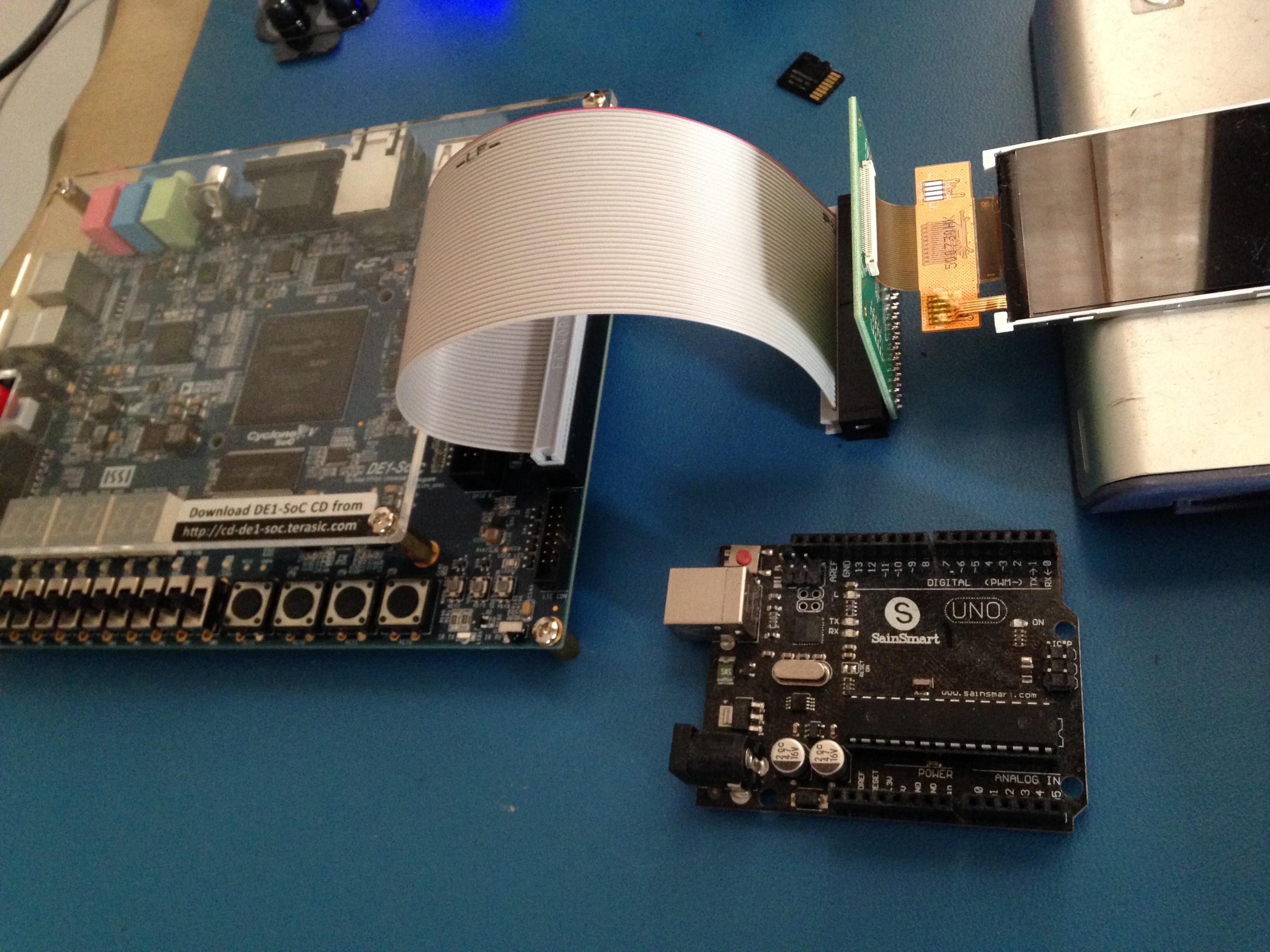
Thanks0 -
Hi j,
Please also take a look at the following post in our Forum: https://support.newhavendisplay.com/hc/en-us/community/posts/10935136856343-FPGA-driver-for-NHD-2-4-240320CF-TFTs
It shows a link to some VHDL code on Github that supports the NHD-2.4-240320CF TFTs with the ST7789 driver IC using the 16 bit parallel interface.
https://github.com/joaBaur/ArtyZ7-20-NHD-2.4-TFT
Regards,0
Please sign in to leave a comment.
Comments
4 comments