RGB565 Display Showing Greenish Tint on NHD-3.5-320240JF-ASXP-CTP (STM32 LTDC)

Hi everyone,
I’m working with the NHD-3.5-320240JF-ASXP-CTP display using RGB565 (LTDC interface) on an STM32.
The display is up and running, but I’m facing a color issue — the entire screen appears to have a light greenish tint instead of natural colors.
Setup:
- Display: NHD-3.5-320240JF-ASXP-CTP
- Interface: RGB (LTDC)
- Color format: RGB565
- MCU: STM32 (LTDC peripheral)
Issue description:
- Image is clear and stable
- But colors are skewed toward green
- Whites look slightly greenish
I’ve attached an image below for reference.
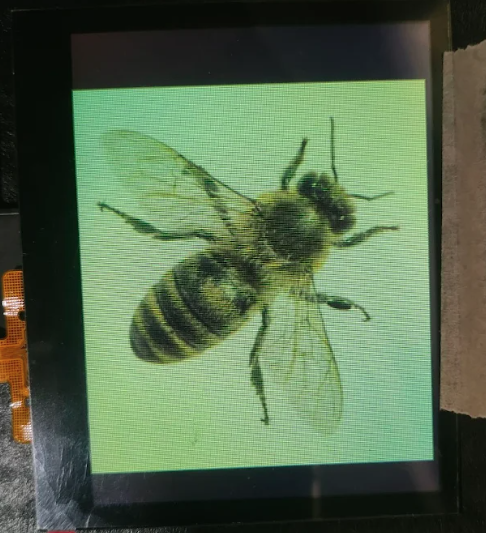
Is this expected behavior for this display panel, or should it render neutral colors?
-

Hello Shubha,
This is not the expected behavior, so I would like to look into this further. Could you please help me with the following?
1. Fill the screen with Red, Green, and Blue colors individually and let me know if they are displaying as expected or if you are seeing something different.
2. Share the wiring for your RGB signals.
3. Let me know which mode you are using the display in. Is it the default mode or has it been changed?Your answers will help me narrow down the cause of the issue.
0 -
Hi,
Thank you for your response.
1. I have tested the display by filling the screen individually with Red, Green, and Blue colors. Please find the attached images for each case. The output appears as captured in the images.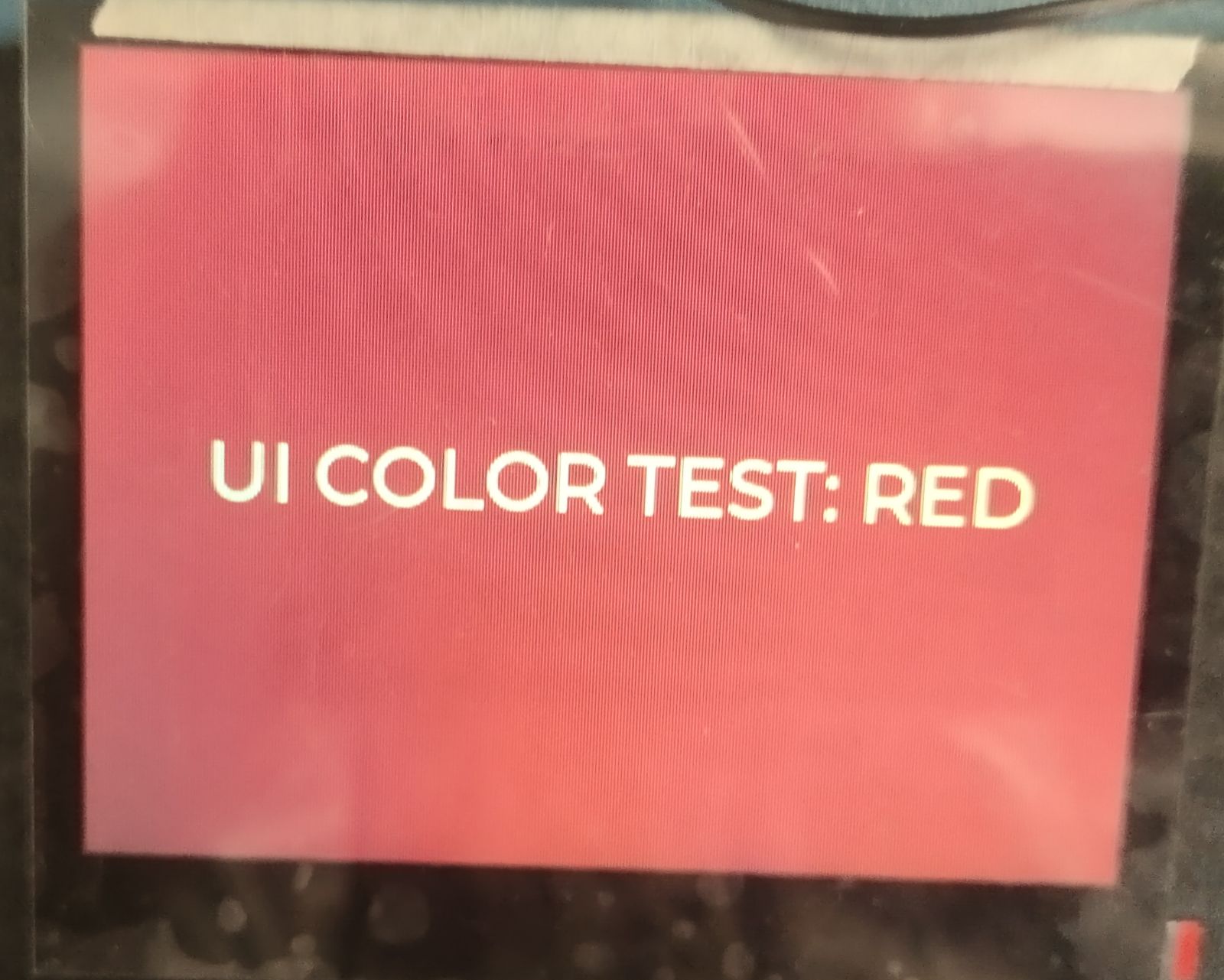
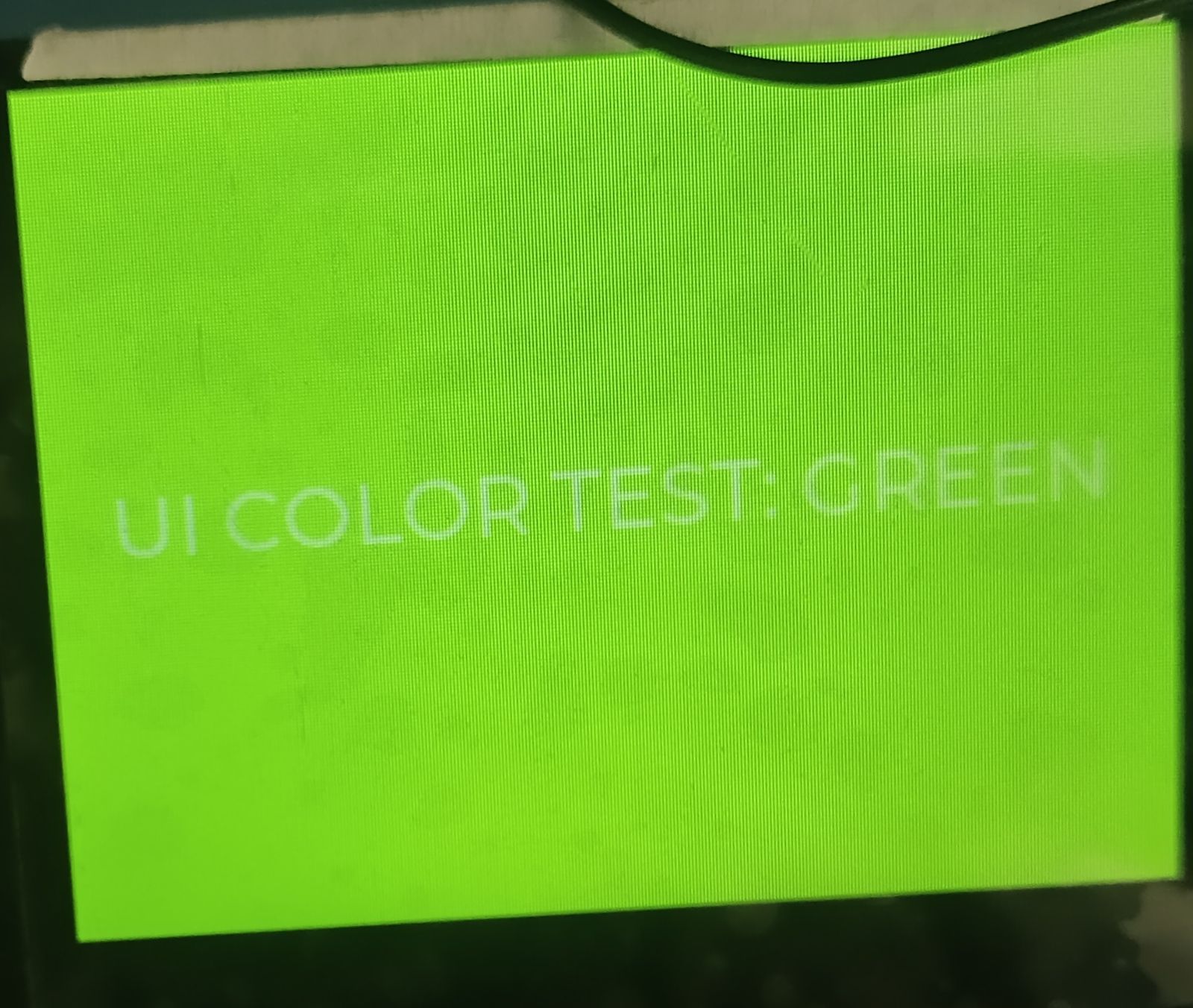
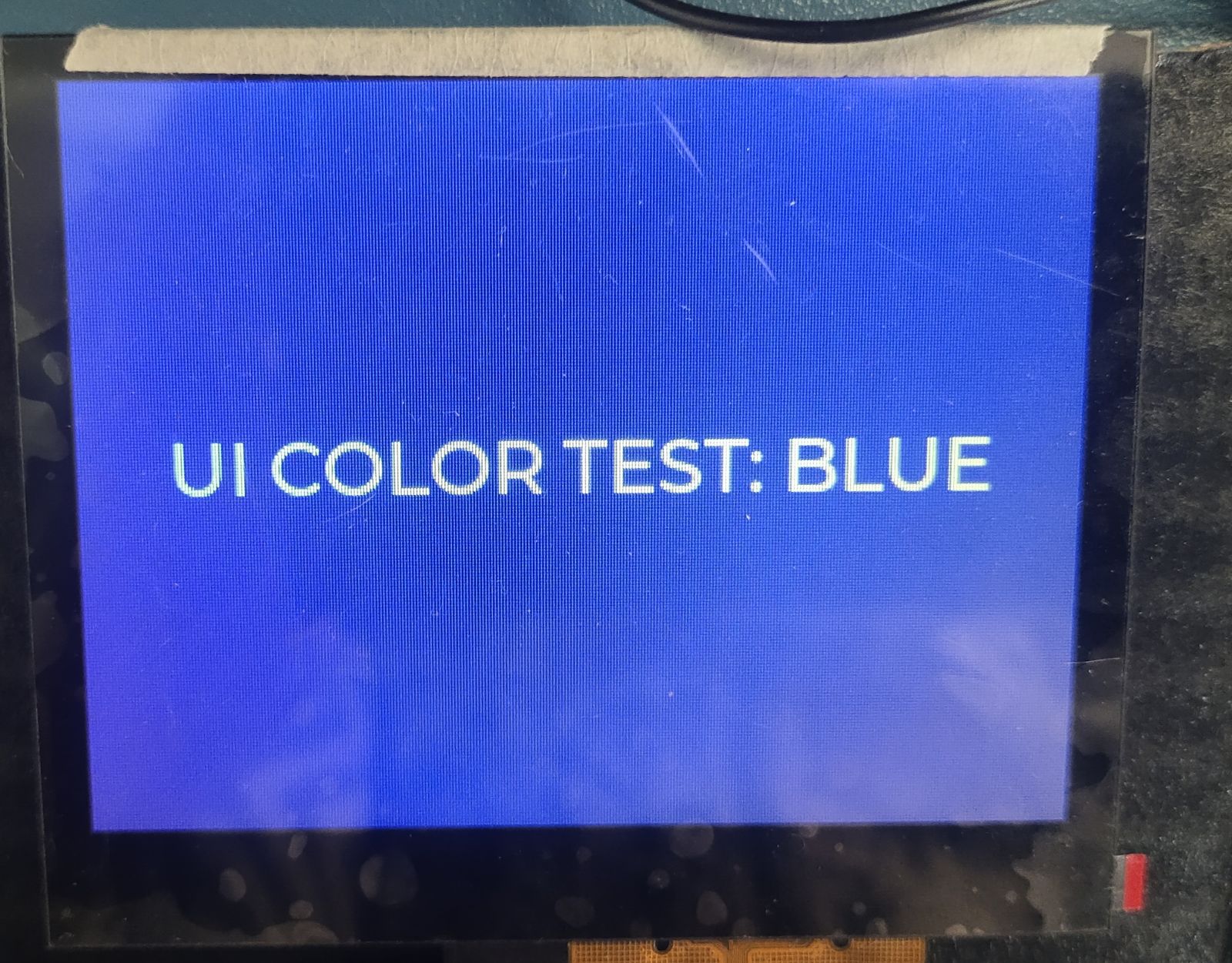
2. I have attached the schematic showing the RGB signal wiring for your reference.
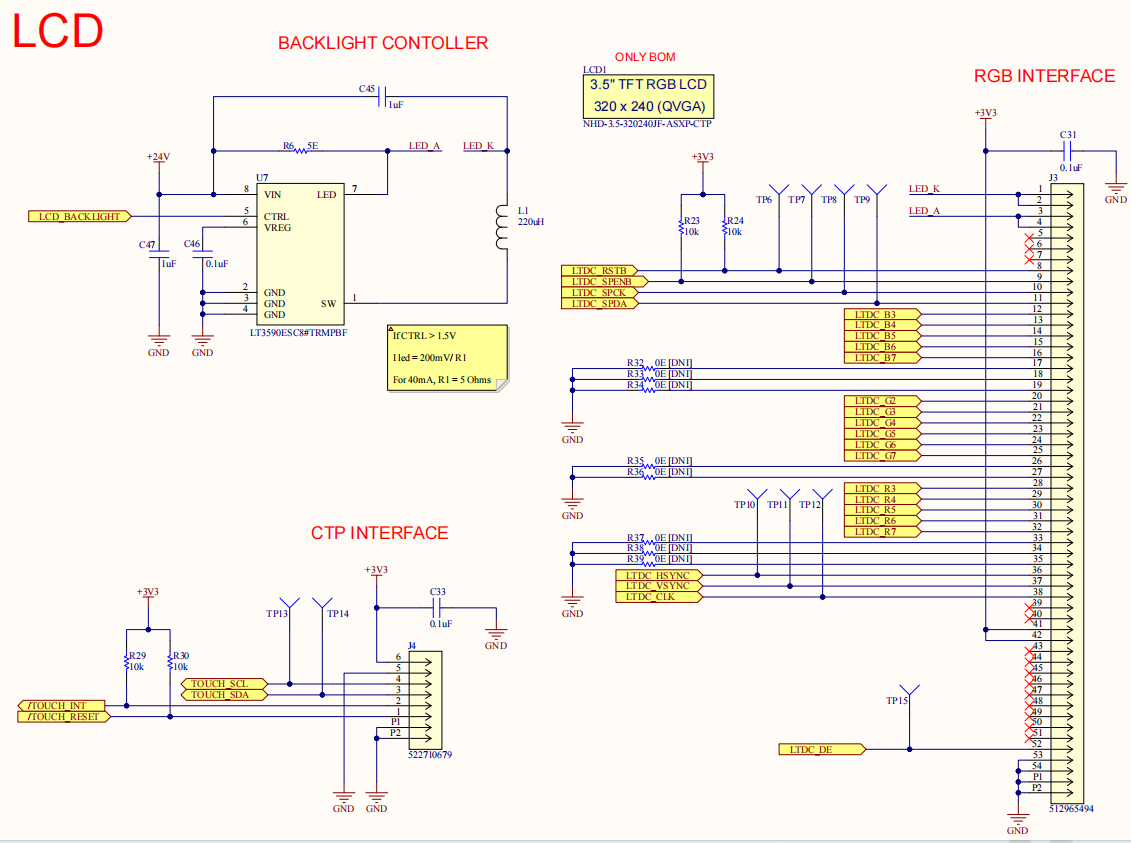 3. I am currently using the display in the default configuration mode and have not made any changes to it.
Please let me know if any further details are required.0 -
Hello Shubha,
Thank you for the update.
After reviewing your schematic, it looks like the RGB signals will need to be adjusted to use the RGB565 interface as outlined in the table from the IC datasheet. Could you please make those changes accordingly?
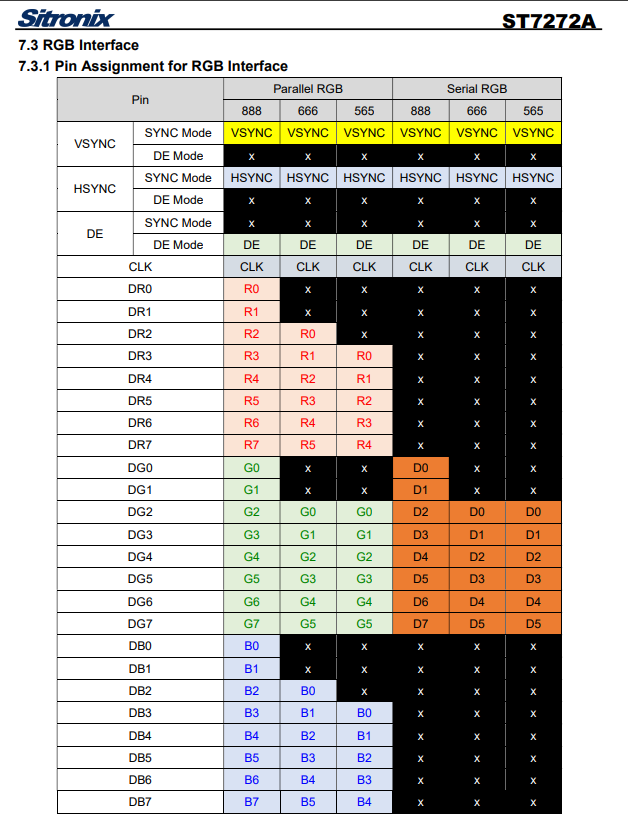
I also wanted to ask about the image you are trying to display. Could you please share the format and bit depth of the image?
0 -
Thank you for your support.
After adjusting the RGB signal lines as per the RGB565 pin assignment mentioned in the datasheet, the issue has been resolved successfully.
Regarding the image format, we are using 16-bit color depth (RGB565). The input JPEG image is being converted to a bitmap file before displaying it on the screen.
0 -
I am glad the issue has been resolved.
Please do not hesitate to reach out if you have any display related questions in the future.
We are always happy to help!
0 -
After changing the RGB pin assignments, the color issue is resolved. However, screen flickering is observed during touch activity. Since the screen previously appeared very light, the flickering may have already existed but was not noticeable earlier.
To achieve the required LTDC RGB signal mapping, the RGB interface lines were shifted as follows:
Blue: 5 lines shifted by 3 pins
Green: 6 lines shifted by 2 pins
Red: 5 lines shifted by 3 pinsThese changes were implemented on the existing PCB by cutting the original tracks and rerouting the required signals using copper jumper wires after exposing the copper by removing the solder mask at the necessary locations.
Tests performed:
1. Removed CTP interface → No flickering observed.
2. Connected CTP and held touch reset pin in reset → No flickering, but touch navigation stops.
3. Connected CTP and ignored touch actions navigation to UI → Flickering still observed.Note: Flickering is mainly visible on the blue screen, while red and green screens appear stable. Attached photos for reference
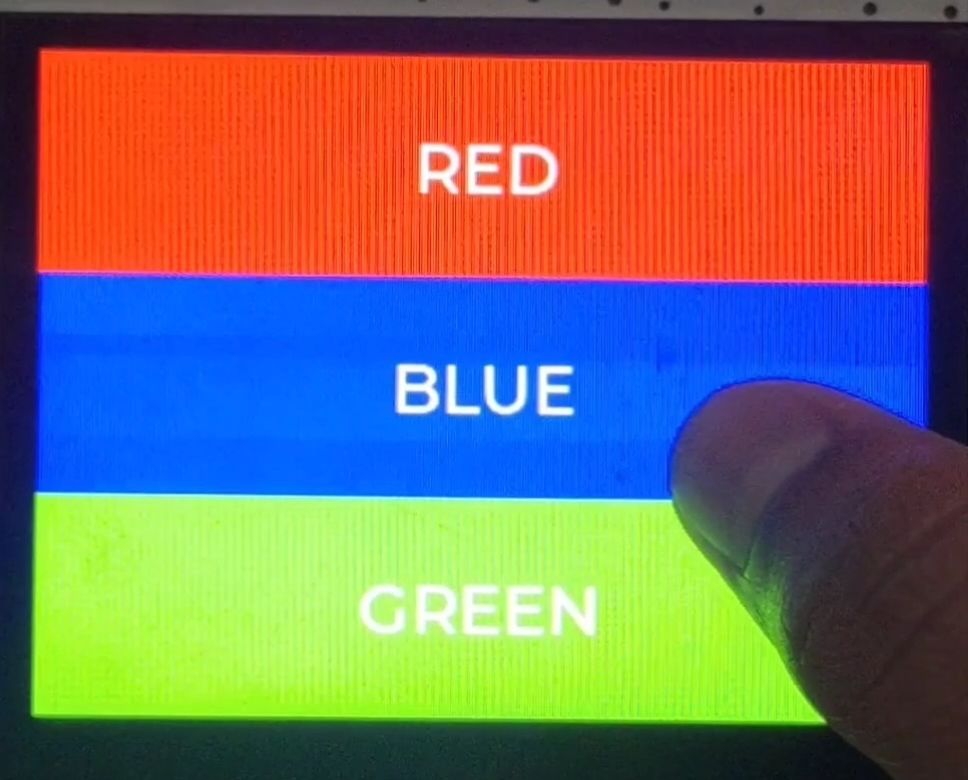
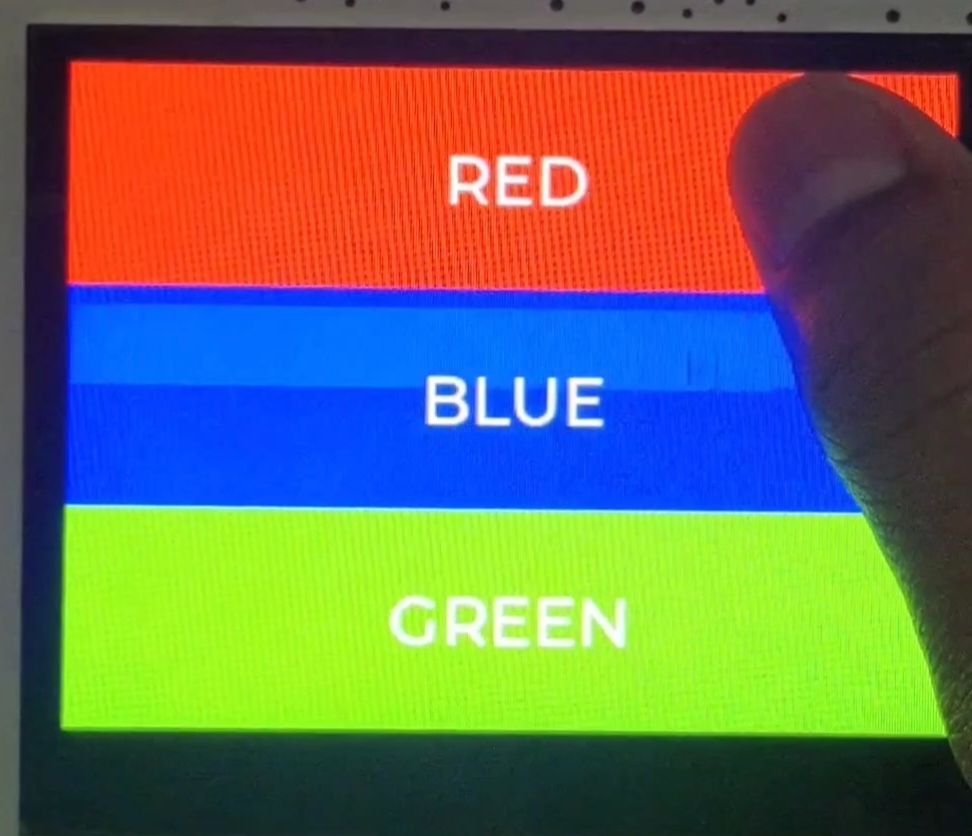
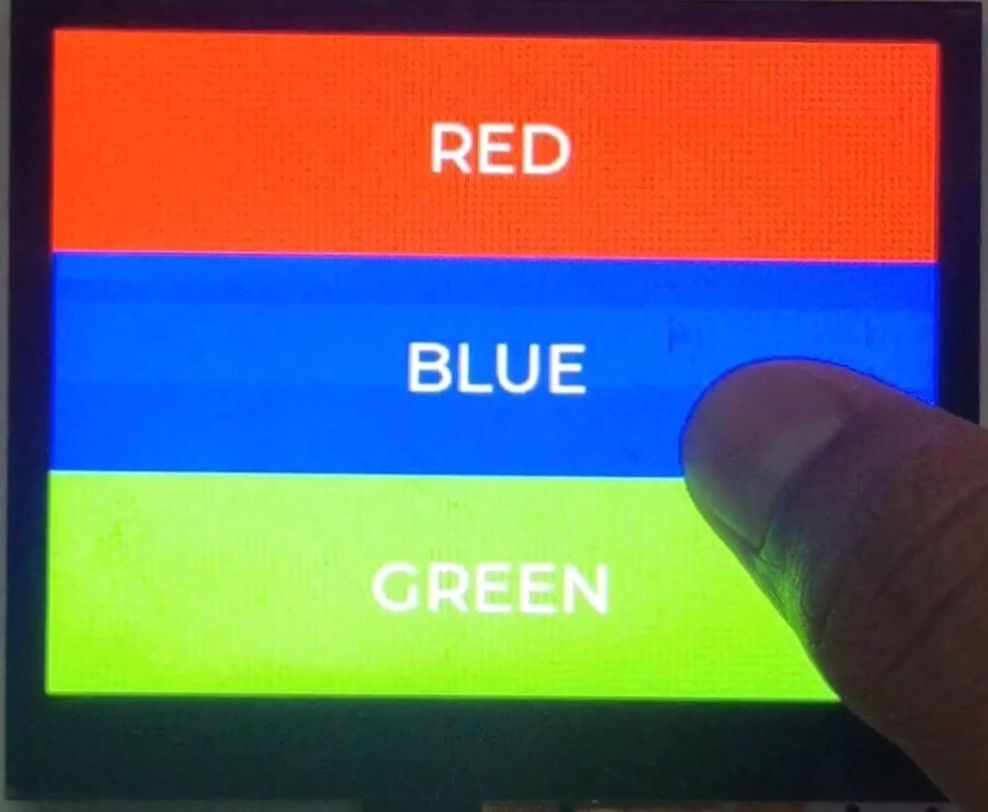 0
0 -
Hello Shubha,
Thank you for walking us through the tests you performed. However, based on the images shared, it is difficult to determine the exact nature of the flickering you are experiencing.
Would it be possible to send a short video demonstrating the issue to nhtech@newhavendisplay.com? This would help us better understand what you are seeing and allow us to assist you more effectively.
0 -
Hello Engineering Support,
Thank you for your response.
Sure, I will record a short video demonstrating the flickering issue and send it to nhtech@newhavendisplay.com for further analysis.
I appreciate your support in helping investigate this issue.
0 -
The issue was related to the customer's reworked board. After the board was corrected by the customer, the issue is no longer present. Closing this request.
Please don’t hesitate to reach out if you need any assistance now or in the future with the displays you’re working with, we’re always happy to help.
0
Please sign in to leave a comment.
Comments
9 comments