NHD-3.12-25664UCY2 Drawing

I have been experimenting with the display on an Arduino Uno using the example code modified to use SPI without the port remapping. I have discovered the settings that allow drawing to the desired pixel:
Set_Col_Address(0x1C,0x5B);
Set_Row_Address(0x00,0x3F);
This eliminates the need to draw to off-screen buffer.
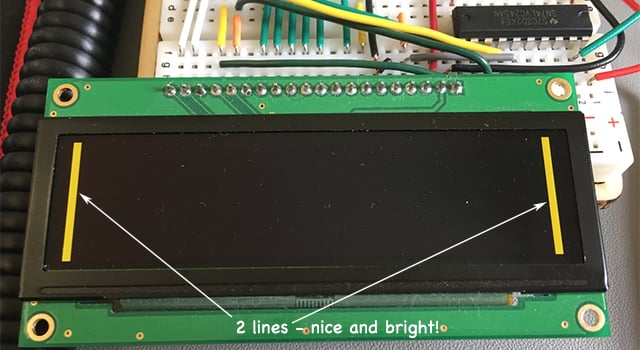
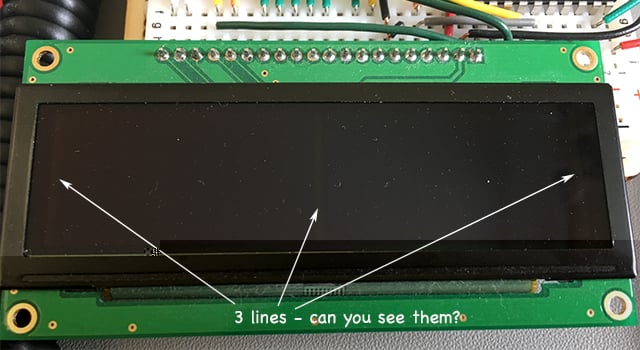
The problem I'm having is that I can draw a small number of pixels anywhere on the screen, but if that number increases the display doesn't display the image properly and is usually too dim to see. In the example pics below I successfully draw two 4 pixel lines at each side of the display. When I draw an additional line in the middle, I can see the line being drawn brightly then very quickly becoming super dark, before drawing is complete. When I fill the entire screen with pixels, it is super dark, but just visible (not bright as in the pic in the post by bill titled "NHD-3.12-25664UCY2 display - inconsistent pixel brightness in same areas").
Any thoughts as to how to get a greater number of bright pixels?
-
I ran some further tests. I thought the behaviour looked like the display was running out of power, so I connected the display circuit to an external variable power supply, isolated from the Arduino via an SN74LVC245 8-bit level shifter.
This time I was able to display 3 vertical bars, so I recorded the current taken to display differing numbers of vertical bars:
1 bar = 20 mA [displayed]
2 bars = 25 mA [displayed]
3 bars = 30 mA [displayed]
4 bars = 14 mA [failed to display]
While the trying to display 4 vertical bars (columns) I decided to tweak the display voltage from 3.3V slowly up to about 4.0V. At 4.0V the display was suddenly able to show the 4 bars at full brightness!
I understood this to be a 3.3V display. Is it possible that I have a 5V version, or is there some other phenomenon at play here?
I attach a photo of the back of the display, showing the model and ID and await further advice before attempting any other work at higher voltages (I really don't want to burn out the display through improper use).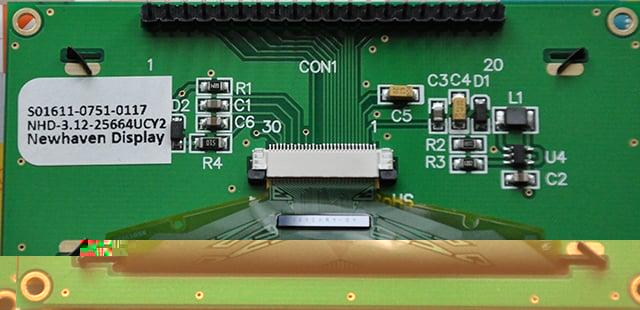 0
0 -
Problem solved! :)
There was no issue with the display. I was working on an Arduino Uno board. That breadboard does not have good connectors, so the circuit was not good and the supply voltage was always under value. I simply shifted the circuit to a professional quality breadboard and everything worked as expected, problem free ever since!
Hope that helps someone.0
Please sign in to leave a comment.
Comments
2 comments